
Knowing which pages link to a specific URL is a core part of SEO. You can find this data with free tools like Google Search Console or paid platforms like Ahrefs. These methods reveal both external backlinks from other websites and internal links from your own site.
Understanding these connections is the first step to boosting your site’s authority. This insight helps improve your performance in search results.
Why Finding Linking Pages Is a Big Deal for SEO
Discovering who links to your content is a critical piece of the SEO puzzle. Think of every link as a vote of confidence. These signals tell search engines your content is valuable and trustworthy.
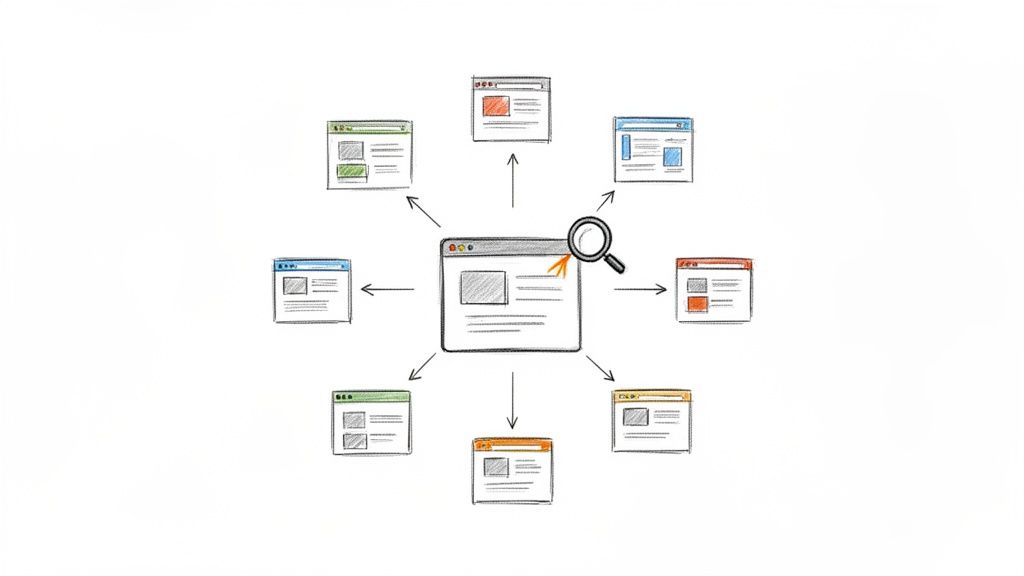
When you map out your link profile, you gain a strategic advantage. It helps you see where you stand against competitors and spot gaps in your content. This data allows you to build a smarter link-building strategy.
The Power Hiding in Your Link Data
Knowing which pages link to you unlocks several strategic actions. This data provides a clear path for improving your SEO performance.
Here’s what this data unlocks:
- Competitive Intelligence: See who links to your competitors but not you. This reveals partnership opportunities and content ideas that attract links.
- A Sharper Content Strategy: Pinpoint which content formats earn the most high-quality links. Create more of what actually works instead of guessing.
- Real Authority Building: A strong backlink profile is a major ranking factor. Monitoring your links shows Google your site is a credible resource.
- Smarter Internal Linking: Uncover your internal link structure. Ensure your most important pages get enough link equity from other pages on your site.
Links Are a Proxy for Trust
Not all links are created equal. A link from a high-authority site is worth more than hundreds from spammy directories. Understanding concepts like what is DA backlink helps you prioritize efforts on links that move the needle.
The hard truth is that most content on the web gets zero links. Earning links from relevant, authoritative sites is what separates content that ranks from content that disappears.
The numbers don’t lie. With over 1.13 billion websites, a staggering 94% of all web pages have zero backlinks. Only 2.2% get links from more than one website.
Top-ranking pages on Google have 3.8 times more backlinks than pages in positions 2 through 10. Knowing who links to you gives you a roadmap to replicate that success.
Quick Guide to Link Discovery Methods
| Method | Best For | Cost | Scope |
|---|---|---|---|
| Google Search Console | Finding links to your own site from Google’s index. | Free | External & Internal (Your Site Only) |
| Backlink Checkers | Deep competitive analysis and backlink auditing. | Paid | External (Any Site) |
| Site Crawlers | Comprehensive internal link analysis and site audits. | Freemium/Paid | Internal (Any Site You Can Crawl) |
| Google Search Operators | Quick, free checks for indexed external links. | Free | External (Indexed Links Only) |
This table provides a good starting point. For a complete picture, you will likely combine a few of these methods.
Using Free Webmaster Tools to Find Links
You can start finding pages that link to your site without spending money. Free platforms like Google Search Console provide a direct view of your backlink profile. This is raw data straight from the source.
This data is the foundation for understanding your site’s authority. The ‘Links’ report helps you see your link-building successes and identify areas for improvement. It is the first practical step for any site owner.
Accessing the Links Report in Google Search Console
Google Search Console (GSC) is essential for any site owner. It reports on links Google has discovered and indexed. If you’re new to the platform, this guide on How To Use Google Search Console is a helpful resource.
Once your site is verified, find the “Links” report in the left-hand navigation menu. The dashboard separates your link data into two main buckets: External links and Internal links.
This report gives you a quick rundown of top linking sites, pages, and the anchor text they use.
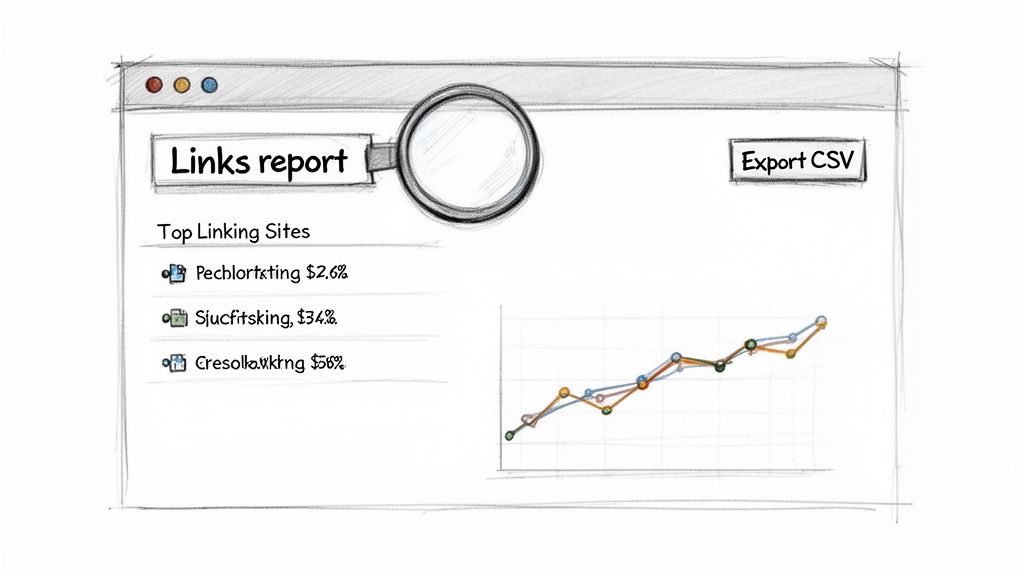 This view shows which external sites link to you most often. It also highlights which of your own pages attract the most links.
Making Sense of Your Link Data
The GSC Links report is broken into several key sections. Understanding them turns raw data into SEO strategy.
Here’s what you’ll find:
- Top linking sites: This lists the domains linking to your site most frequently. Use this to identify strong supporters and potential partners.
- Top linked pages: This shows which of your pages have the most backlinks. These are typically your most authoritative assets or “link magnets.”
- Top linking text: This section reveals the anchor text people use when linking to you. A healthy profile has a mix of branded, keyword-rich, and generic anchors.
My Two Cents: The “Top linking text” report is gold for spotting unnatural anchor text. An overabundance of exact-match keyword anchors can be a red flag for search engines. I check this regularly to keep my link profile clean.
GSC lets you export this data for a deeper dive. Click the EXPORT button to download it as a Google Sheet, Excel, or CSV. While GSC is a powerhouse, other free tools can offer different data points to round out your analysis.
Go Deep With SEO Platforms
Free tools are great for your own site but can’t show your competitors’ data. For that, you need dedicated SEO platforms like Ahrefs, Moz, or Semrush.
These tools maintain massive indexes of the web, giving you a full picture. You can plug in any URL and get a detailed report of every page linking to it. This is where real competitive intelligence begins.
How to Decipher a Backlink Report
When you enter a URL into a tool like Ahrefs’ Site Explorer, you see a high-level dashboard. This gives you a quick snapshot of the site’s authority (Domain Rating or DR), total backlinks, and referring domains.
From there, jump into the “Backlinks” report. It lists every external page linking to the URL you entered. Understanding these metrics separates valuable links from digital noise. The best AI SEO tools are even starting to integrate this analysis to surface insights faster.
Comparison of Popular Backlink Analysis Tools
Choosing the right tool depends on your needs and budget. Each of the major platforms has its own strengths.
| Tool | Key Feature | Best For | Pricing Model |
|---|---|---|---|
| Ahrefs | Largest and freshest link index; powerful filtering. | Deep competitive analysis and link prospecting. | Subscription |
| Moz | Domain Authority (DA) metric; user-friendly interface. | SEO beginners and those focused on authority metrics. | Subscription |
| Semrush | Comprehensive SEO toolkit with backlink features. | All-in-one SEO and marketing analysis. | Subscription |
While they all get the job done, Ahrefs is often considered the gold standard for its comprehensive data. However, Moz and Semrush provide unique metrics and features that offer different perspectives.
Finding the Links That Actually Matter
A raw backlink report can be overwhelming. The real power of these tools is their filtering system. This is how you cut through the clutter and find the links moving the needle.
Here are the filters I use almost every time:
- Link Type: Start with “Dofollow” links. These pass authority and have the most direct impact on rankings.
- Domain Rating (DR) or Authority: Set a minimum threshold, like DR 30+, to weed out low-quality sites.
- Anchor Text: Search the anchor text for specific keywords to see the context of the link.
- Language: Filter by language to see where competitors get traction in specific markets.
By layering these filters, you can turn a mountain of data into a short, actionable list. For example, filtering for “Dofollow” links from sites with a DR of 50+ instantly shows you a page’s most powerful links.
This process helps create a strategic roadmap. You can see which high-authority sites support your competitors. This gives you a ready-made target list for your outreach campaigns.
Finding Internal Links with Crawlers and Search Operators
Backlinks get a lot of attention, but your internal linking is just as critical for SEO. It guides search engines through your site and spreads authority between pages.
Let’s review two ways to find every page on your site linking to a specific URL. We’ll start with a quick method using Google search operators. Then we’ll cover the gold standard: a full site crawl with a tool like Screaming Frog.
Using Search Operators for Quick Checks
Sometimes you need a fast answer without a paid tool. Google’s advanced search operators are a lifesaver. They let you run specific queries to find pages on your domain pointing to a target page.
The best combo for this is site: and intext:. The site: operator locks the search to your domain. intext: hunts for the target URL within the body content.
For instance, to find every page on yourwebsite.com that links to yourwebsite.com/target-page, you would search this:
site:yourwebsite.com intext:"yourwebsite.com/target-page"
This trick is fast and free, perfect for a spot-check. Remember, it only shows pages Google has indexed. For a full picture, you need a crawler.
This search is also great for cleanup. If you change a URL, you can pop the old URL into this search. This finds every page that still needs to be updated.
Getting a Complete Picture with Site Crawlers
For an exhaustive analysis, nothing beats a website crawler like Screaming Frog. These tools act like search engine bots, following every link to map your site’s architecture. This provides a comprehensive dataset of all your internal links.
Here’s a peek at the Screaming Frog interface, which lays out data in a filterable table.
This lets you dig into everything from response codes to page titles.
To find all pages linking to one URL, crawl your site. Once it’s done, select your target page, then click the “Inlinks” tab in the bottom pane. You get a report listing every internal page that links to it.
You can export this data for deeper analysis, which is a must for large websites. Crawlers can also help with technical tasks like AEO log file analysis.
This detailed report is invaluable for:
- Finding “Orphaned” Pages: Uncover important pages with few or no internal links.
- Optimizing Anchor Text: Check that internal links use descriptive, relevant anchor text.
- Improving Link Equity Flow: Find opportunities to add internal links and pass authority to your money pages.
Turning Link Data Into an Actionable SEO Strategy
You have a list of URLs linking to your site. Now what? Finding the links is just the start. The real win comes from turning that data into an action plan.
Your first job is to organize the data. Group everything into clear categories. This helps you spot high-authority domains, find toxic links, and uncover new opportunities.
Prioritizing High-Value Links
Not all links are created equal. Sift through your backlink profile to find the gems from authoritative, relevant websites. These are your biggest assets.
Look for links from domains with high authority scores (like Ahrefs’ DR or Moz’s DA). But don’t stop there; context is everything. A link from a niche industry blog is often more valuable than one from a generic directory.
A single, editorially placed link from a respected site in your niche can have more impact than hundreds of low-quality links combined. Prioritizing these helps you replicate success.
This process also highlights your best content. The pages attracting these high-quality links are your “link magnets.” Knowing what they are tells you where to focus future content efforts.
Identifying and Handling Toxic Links
While searching for good links, you’ll also find bad ones. Toxic links come from spammy, low-quality, or irrelevant websites. Enough of them can hurt your site’s reputation and SEO performance.
Look for these red flags:
- Weird Anchor Text: Links using spammy or nonsensical anchor text.
- Low-Quality Directories: Links from auto-generated web directories.
- Foreign Language Sites: A sudden influx of links from sites in unrelated languages.
If you find many of these, consider using Google’s Disavow Tool. This tells Google to ignore these links. Use it as a last resort, as disavowing the wrong links can cause harm.
Uncovering Link Gap Opportunities
A link gap analysis is one of the most powerful moves you can make. This involves comparing your backlink profile to your top competitors’. The goal is to find high-authority websites that link to them but not to you.
This workflow visualizes internal link discovery, but the logic also applies to finding external opportunities.
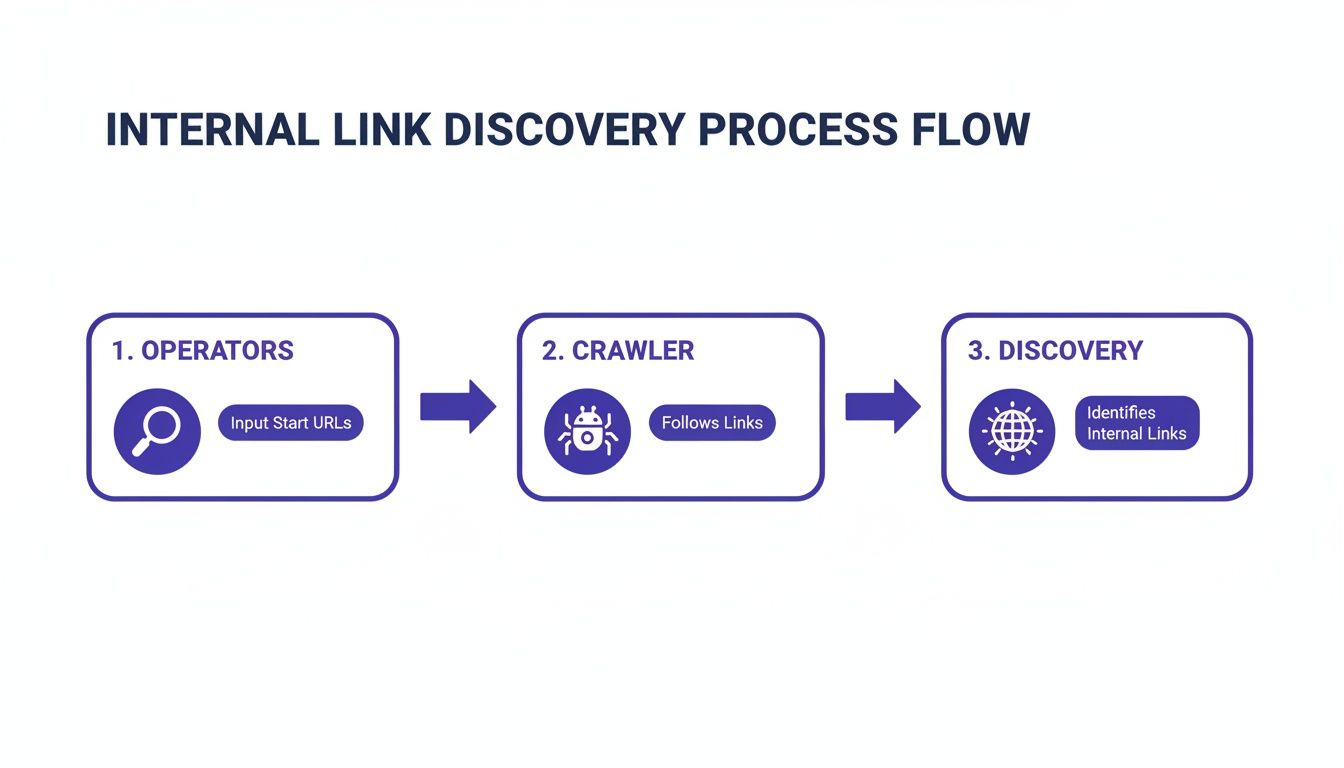
You can learn how to find competitors of a website and plug them into a tool like Ahrefs. This gives you a ready-made list of websites already interested in your topic. From there, you can build a targeted outreach campaign.
Frequently Asked Questions
How can I find out which pages link to my competitor’s page? You need a third-party SEO platform like Ahrefs, Moz, or Semrush. Unlike Google Search Console, these tools let you analyze any URL. This is the standard way to conduct competitive research and see the link-building strategies your rivals are using.
What is the difference between an internal and external link? An external link (or backlink) comes from a different website to one of your pages. An internal link connects one page on your site to another on the same site. External links build authority, while internal links organize your site structure and distribute that authority.
Are ‘nofollow’ links still valuable for SEO? Yes. While they don’t typically pass authority like “dofollow” links, they can drive significant referral traffic. They also help create a natural-looking link profile, as a site with 100% dofollow links can appear artificial to search engines.
How often should I check for new links to my pages? A monthly check-in for your most important pages is a good rhythm. It’s frequent enough to spot new opportunities, thank site owners for good links, and address any sketchy backlinks before they can cause problems. This makes link monitoring a proactive part of your SEO strategy.
At Airefs, we help you move beyond traditional SEO by showing you exactly how to get your brand recommended in AI-generated answers. See which sources AI models trust and get a clear action plan to become the default answer in your category. Learn how to influence the new generation of search.