Know exactly which AI bots are reading your site
 Airefs tracks every AI bots and crawlers on your website - ChatGPT, Claude, Perplexity & many more.
7-day free trial — crawler data from day one







Used by 100+ teams
Know when your are cited in AI answers
Airefs logs every AI crawl to your site in real time, including the ones triggered by AI answers.
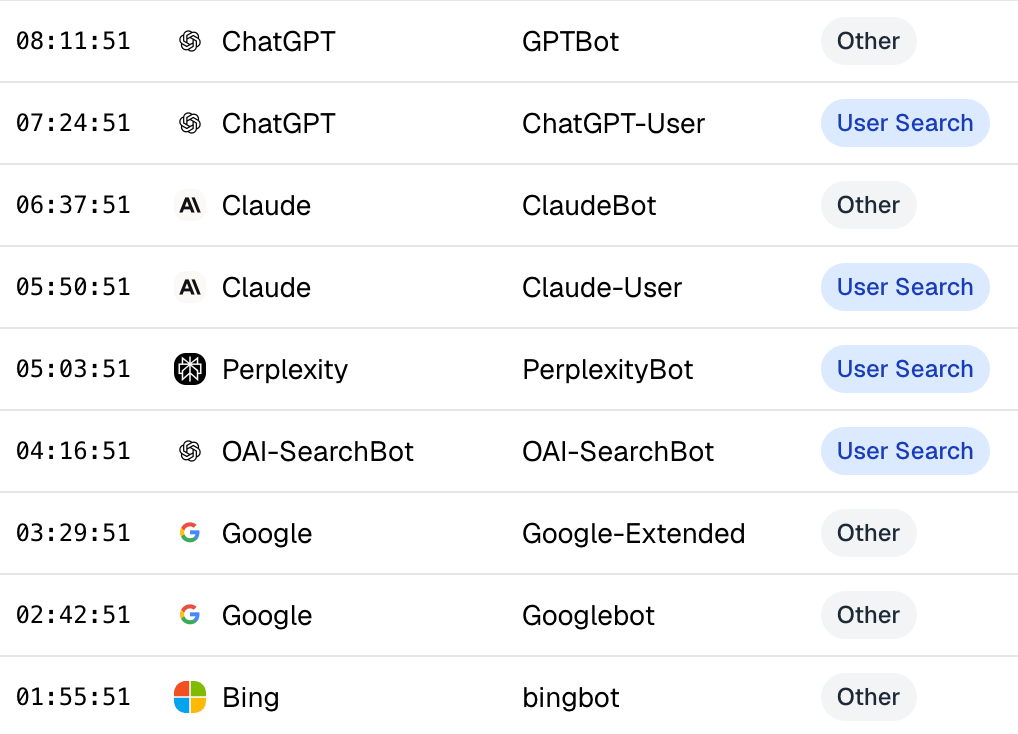
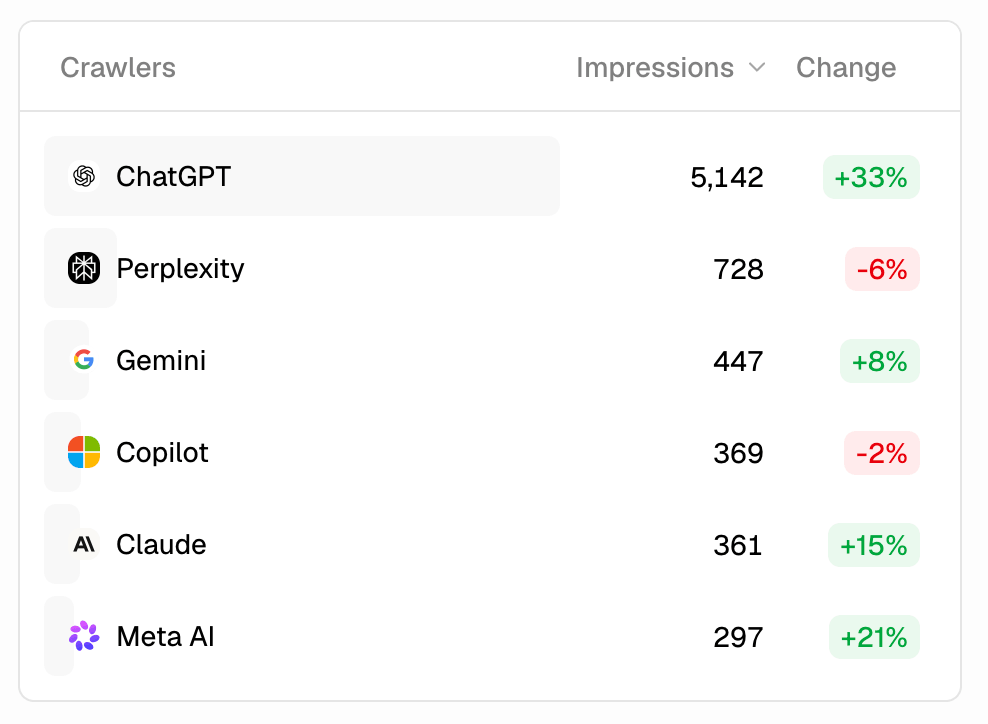
Track every AI agent crawling your site
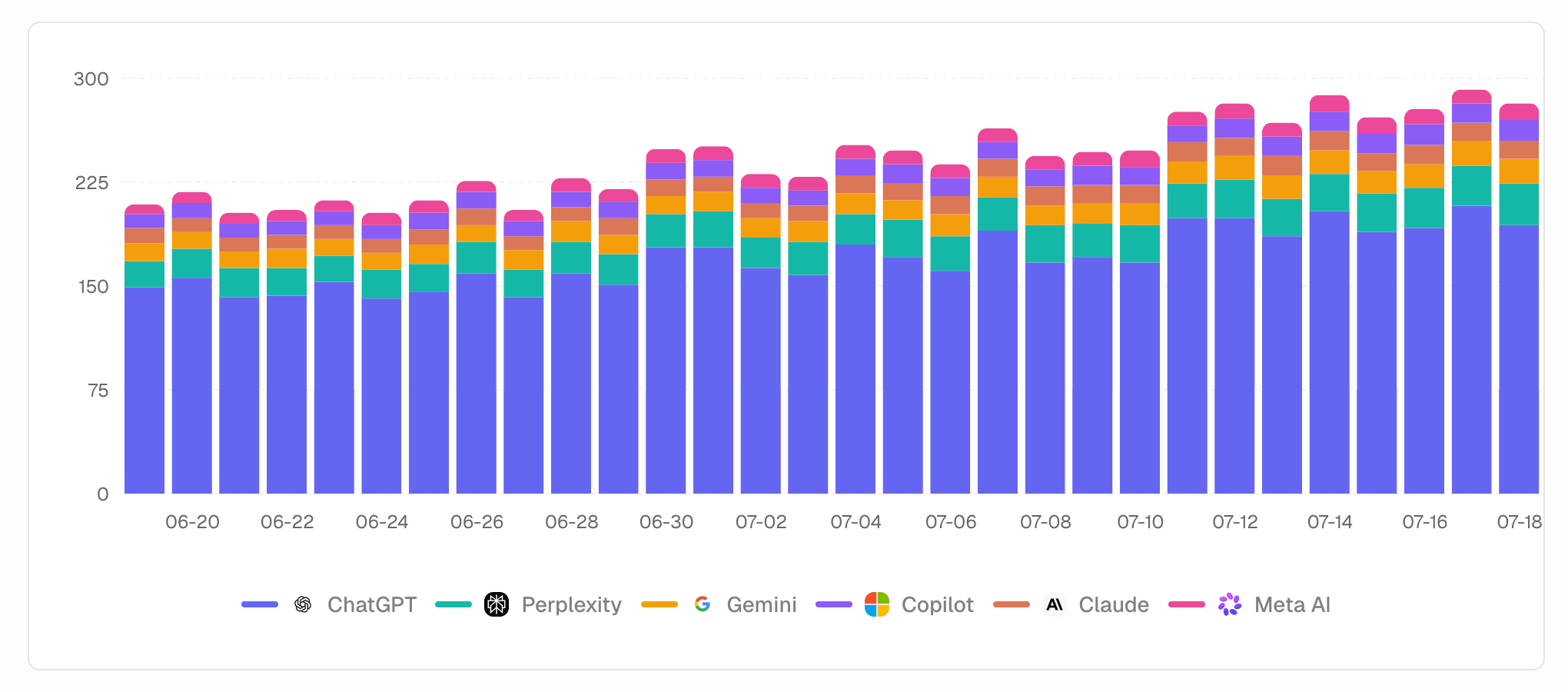
See crawl volume over time from ChatGPT, Perplexity, Claude, and every other bot that matters.
Your content, ranked by AI attention
See which content AI bots keep coming back to — and which they've stopped visiting.
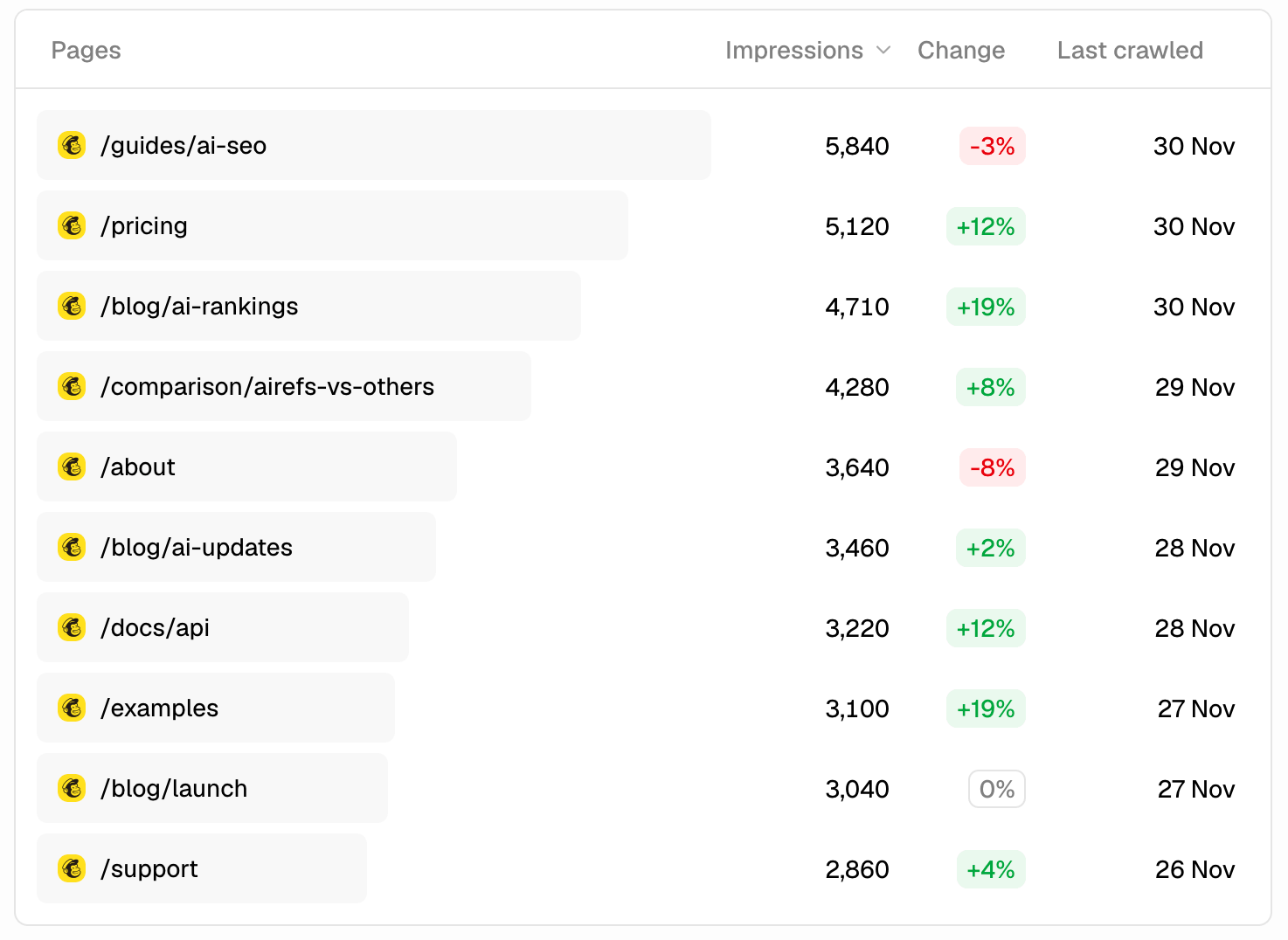
Want the full breakdown? Read the Impressions help doc →
Crawler analytics on every plan
Analytics history scales from 7 days to 180 days as you go up.
| Lite | Pro | Expert | Agency | |
|---|---|---|---|---|
| Billed monthly | $29/mo | $59/mo | $99/mo | From $59/mo |
| Billed yearly –20% | $288/yr | $588/yr | $996/yr | From $49/mo |
| AI Search Analytics | ||||
| AI Crawler Impressions | ||||
| AI Visitor Clicks | ||||
| Analytics history | 7 days | 90 days | Unlimited | Unlimited |
Airefs detects crawler visits from server-side headers — no pixel, no client-side script. Most analytics tools only see human visitors; AI crawlers slip straight past them.
See full pricing details on the pricing page →
Frequently asked questions
Why does it matter which AI bots crawl my site?
Crawling is a prerequisite for appearing in AI answers — if a bot never reads your page, it can never cite it. Airefs logs every AI bot visit in real time, broken down by crawler and by page, so you know which content AI is actually reading before you ever check if you're mentioned.
What is an AI crawler impression?
An impression is recorded each time an AI crawler's bot fetches one of your pages. It means an AI tool has visited your content — not necessarily that a human saw it, but that the AI's indexing or research pipeline consumed it. More impressions generally correlate with better coverage in AI answers.
What's the difference between impressions and clicks?
An impression is a bot visit — the AI crawled your page. A click is a human visit — a user saw your link in an AI response and clicked through to your site. Both matter: impressions tell you whether AI tools are reading your content; clicks tell you whether that content is driving referral traffic.
Which AI crawlers does Airefs track?
Airefs identifies all major AI crawler bots including ChatGPT (OAI-SearchBot and ChatGPT-User), Claude (ClaudeBot and Claude-User), Apple Intelligence, DuckDuckGo AI, Perplexity, Google Gemini Deep Research, You.com, Amazon Bot, and Cohere. New crawlers are added as they emerge.
How do impressions relate to my AI search visibility?
High impression counts mean your site is being actively read by AI tools — but you still need to track prompt mentions separately to confirm you're appearing in their answers, not just being crawled.
What's the difference between bot types in the logs?
"User Search" means the crawl was triggered by a real user asking a question in that AI tool — the highest-value type, because a human was actively looking for content like yours. Other types include scheduled indexing crawls and research pipeline fetches, which happen on the crawler's own schedule rather than in response to a live query.
How does Airefs detect AI crawler visits?
Airefs installs a lightweight tracking snippet on your site that reads server-side request headers — specifically the user-agent string — and matches them against a maintained list of known AI bot signatures. No pixel or client-side script is required to detect crawler visits; the identification happens before the page is served.
Can I see which pages get crawled most?
Yes. The Pages table in the Charts view ranks every URL on your site by total impressions, with a change indicator showing whether each page is receiving more or fewer AI crawl visits than the prior period. You can filter by crawler to see which bots are reading which content.
Do I need to change anything on my site to track crawlers?
A small one-time integration, no ongoing maintenance. Install the Airefs WordPress plugin in under a minute, connect a zero-code Log Drain or Worker if you're on Cloudflare, Vercel, Netlify, CloudFront, Fastly, or Akamai, or add your access token to the API integration on any other platform. Once it's in, crawler detection runs automatically with no pixel or client-side script. Webflow and Framer don't support server-side integrations, so crawler tracking isn't available there yet.