
Sources
The pages ChatGPT and Google AI Overview cite as sources across your tracked prompts — trended over time, with domain comparisons and stale-citation tracking.
Sources shows every page ChatGPT and Google AI Overview cite across your tracked prompts — the content they actually used to formulate their answers. It’s the difference between knowing you appear in 40% of prompts and knowing exactly which URLs are shaping AI responses in your category. That specificity is what turns visibility data into an actionable content strategy.
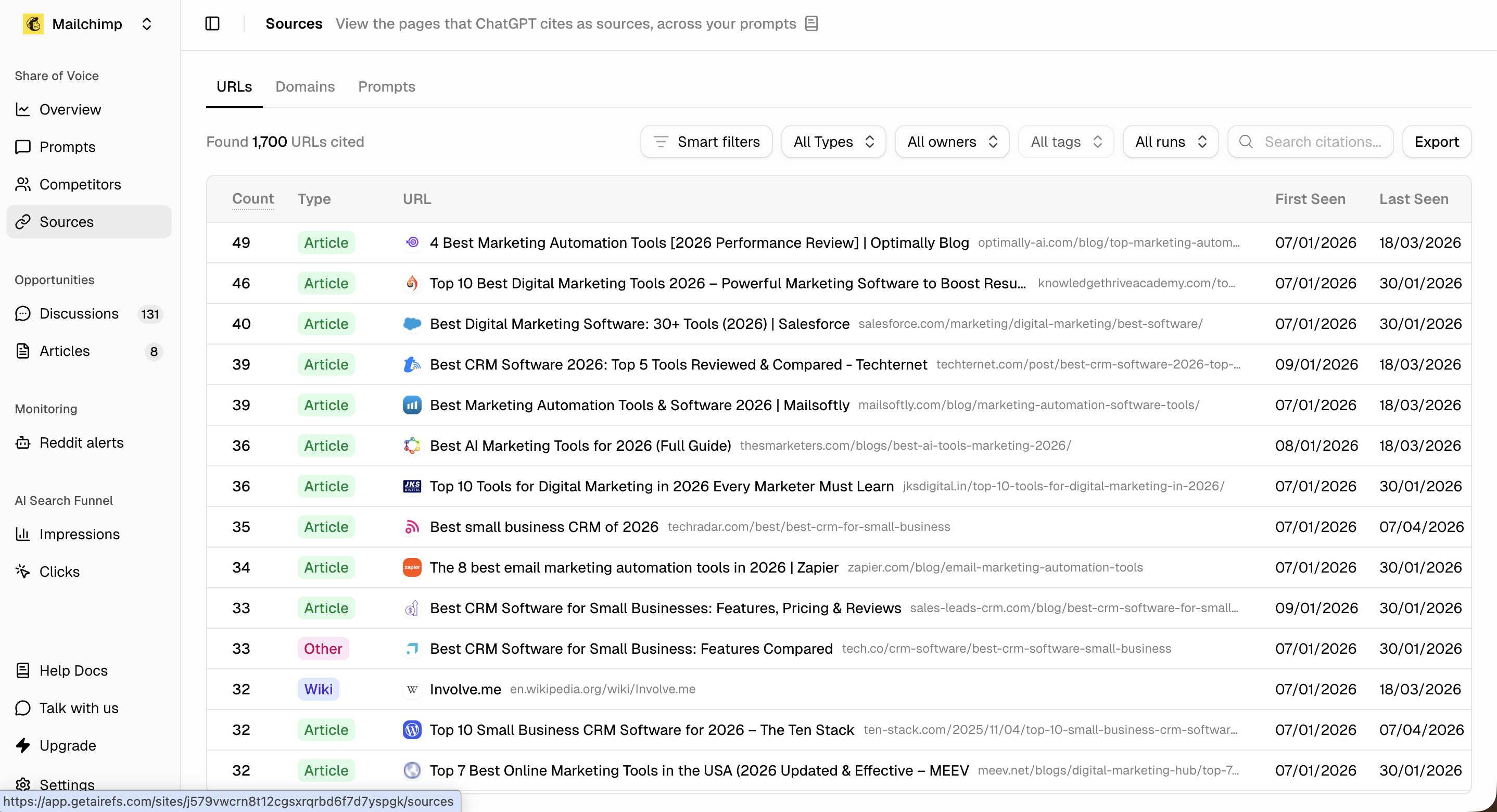
Source data only appears after you’ve added and run prompts in your account.
Sources has three views: Domains, URLs, and Prompts. Toggle between ChatGPT, Google AI Overview, or both, and pick a date range — 7, 30, 90, 180 days, or a custom range. Every row carries a Trend sparkline showing citations per run over the selected range, plus First Seen and Last Seen dates. A row not cited in the site’s latest run is marked stale.
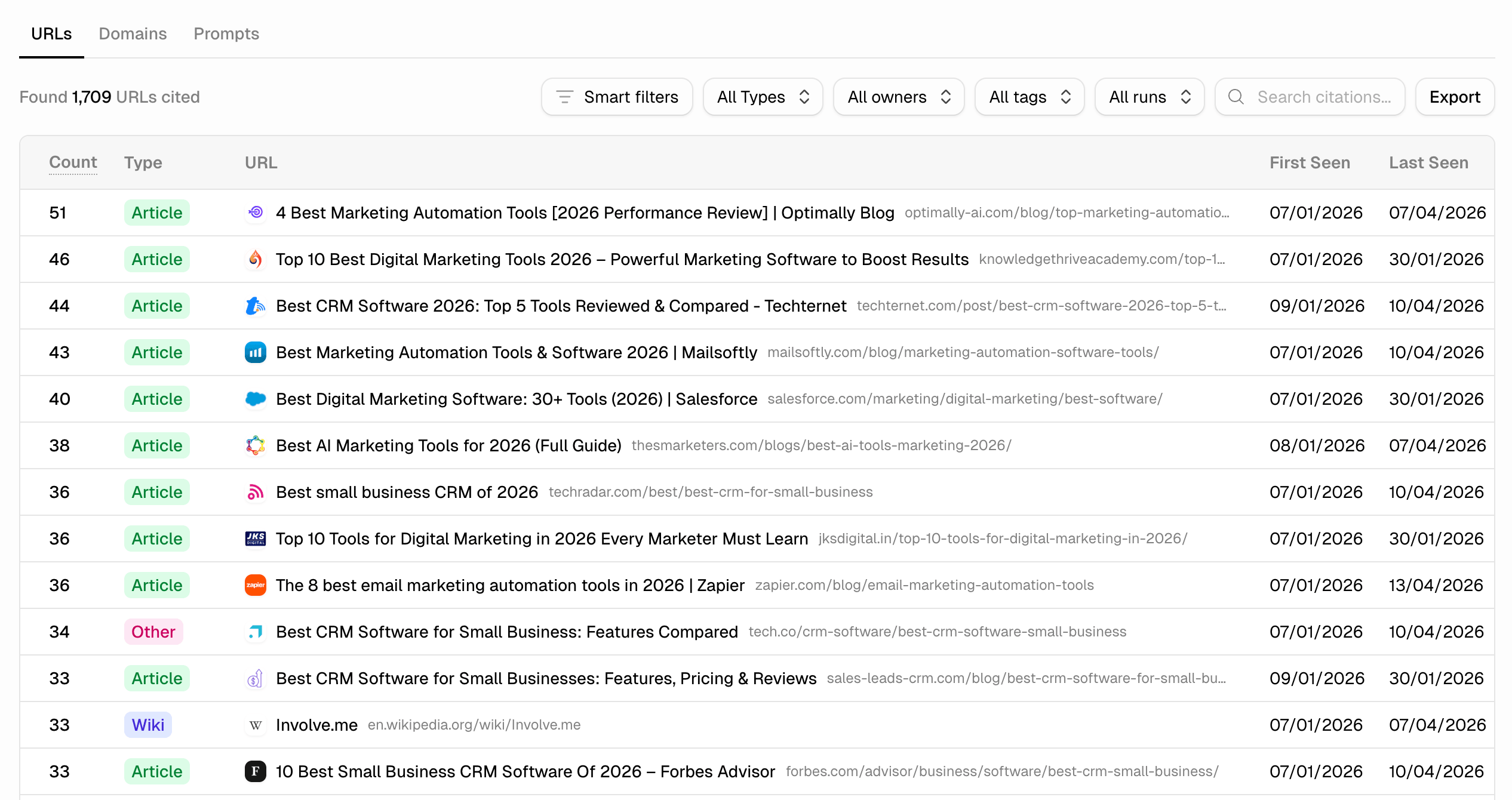
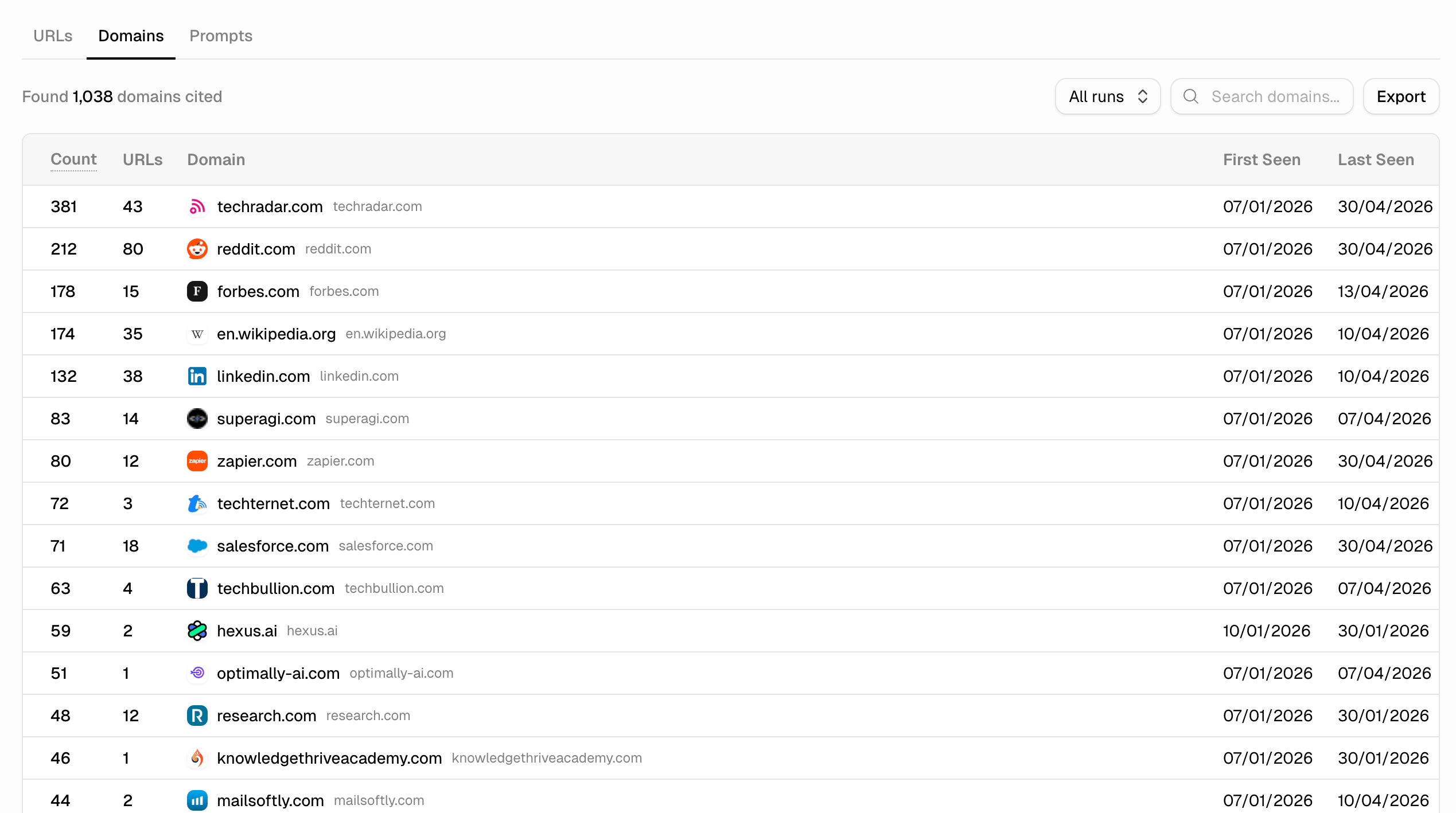
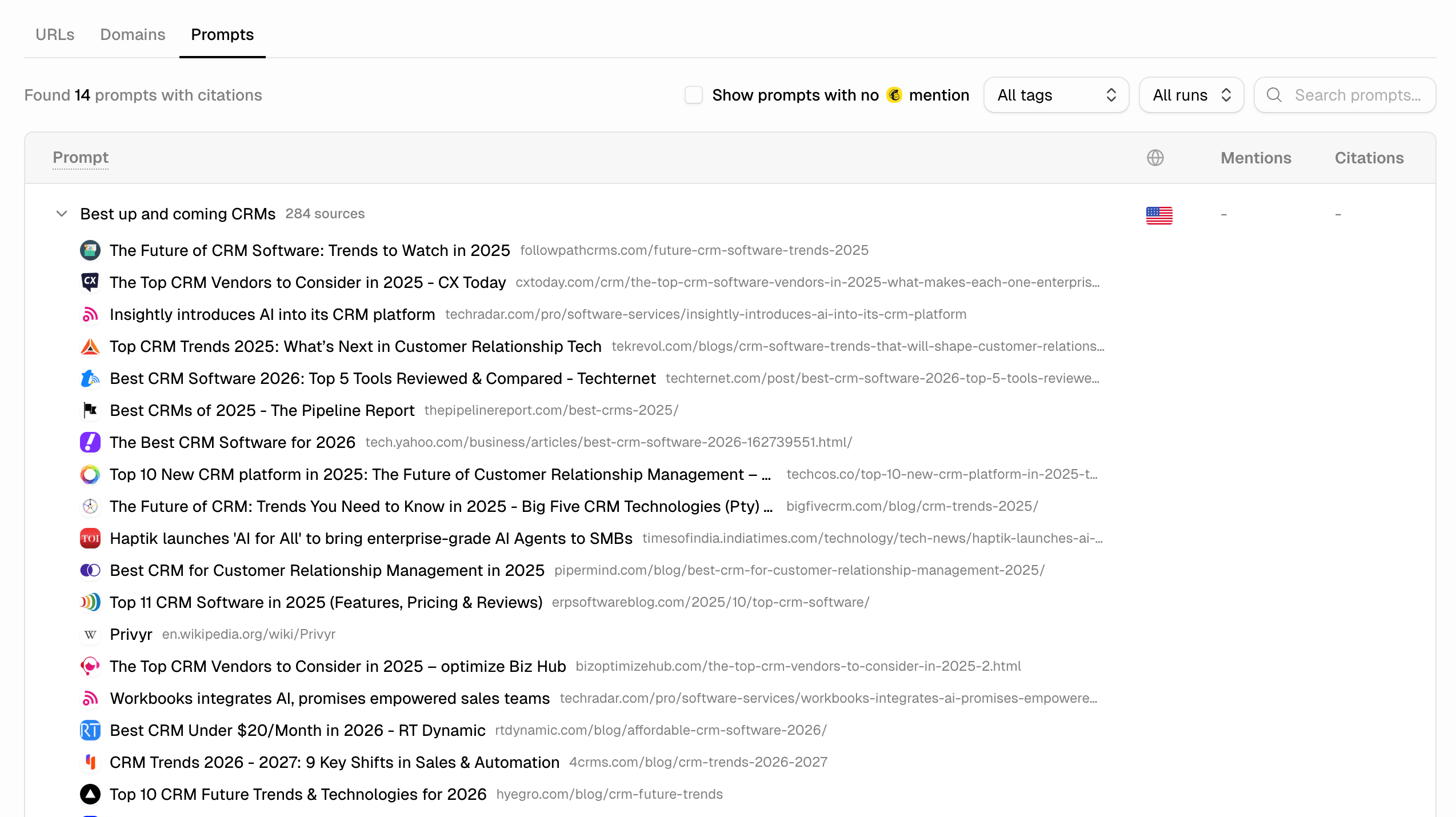
The Domains tab aggregates by publisher — useful for understanding which sites dominate your category. The Prompts tab groups sources by query, so you can see exactly what content shapes answers for each prompt. Expand any row to see all cited URLs for that prompt.
Compare domains over time
On the Domains tab, click add to chart on up to five domains to plot them against each other. Switch the y-axis between raw citation count and share of citations (# / %), and pick from four views: stacked area, line (trend over time), bars (compare over the period), or rank (rank over time). Remove a domain from the comparison by clicking its chip above the chart.
See which prompts a source influences
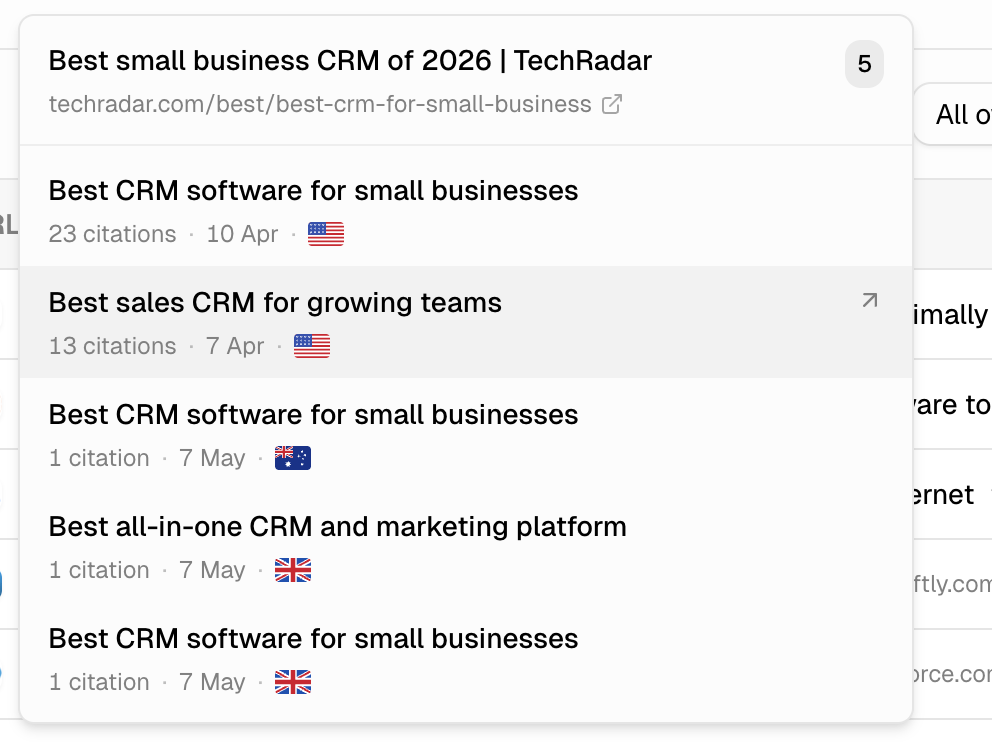
Hover any citation count badge to see every prompt that cites that source — with citation count, date, and country for each.
A source cited across 20 different prompts is far more strategically important than one cited 20 times in a single query. This breakdown makes that distinction instant.
The Filter menu’s smart filters surface the most actionable subsets — see Reading the filters below.
Identify content to create
Look at the URLs and article types that appear most often. If “15 Best [Category] Tools for 2026” listicles dominate your category’s citations, that’s the format to target.
If the top-cited article is outdated, that’s an opening — a fresher, more comprehensive piece can displace it. Match the format and intent of what the AI currently cites, but make yours better.
Find quick brand mention wins
Look for URLs where you could secure a brand mention — review sites, comparison articles, Reddit threads. Getting your brand into a highly-cited source can lift your mention rate across many prompts at once, without publishing anything new.
Reading the filters
- Smart filter: Discussions — filters to commentable sources (Reddit threads, forum posts…). These feed directly into Discussions and are the highest-leverage items for quick brand visibility gains.
- Type — narrow to a citation format (article, video, wiki, review…) so you can match the format that’s winning citations in your category.
- Owner: brand — see which of your own pages are being cited and how often. The pages that do get cited are your strongest-performing content in AI search — double down on them.
- Owner: competitor — see exactly what content is working for them. The Domains tab shows which publishers are most influential — useful for prioritising outreach.
- Owner: other — third-party sources neither you nor a tracked competitor owns — the largest pool of brand-mention opportunities.
- Tag — isolate sources tied to a specific prompt tag.
- Still used sources only — hide anything not cited in the site’s latest run, leaving only what’s currently shaping answers.
Use the search box to find a specific domain, URL, or prompt, and the ··· menu next to it to export the currently loaded rows to CSV.